Your GitHub,
as a living city.
Swap github.com for commit.city on any profile, org or repo. A year of git history replays as a 3D city:
every file a tower, every commit a beam of light, every bot and AI agent accounted for.
Same URL, one word different. Works for people, orgs and repos, and ?all=1 replays a repo from its first commit.
Real history, drawn to scale.
commit.city doesn't estimate from contribution counts. It replays git itself, so a tower is exactly as tall as that file was on that day.
Who's actually writing the code?
More and more commits come from AI agents and automation. commit.city reads the signatures they leave (bot accounts, agent branches, Co-authored-by trailers) and colours every beam by who sent it.
The public timeline, live.
The latest public events on all of GitHub, sorted by who sent them.
Every city, split by author.
Press A in any city and its beams recolour: people, automation and AI. The panel breaks it down by agent and by repo, at every moment of the year.
Cities people have built.
Every city is public data, cached once built, so opening one someone else made is instant.
Made to be shown off.
Every city comes with a README card, a link preview, a video clip and an embed. All of it updates when the city is rebuilt.
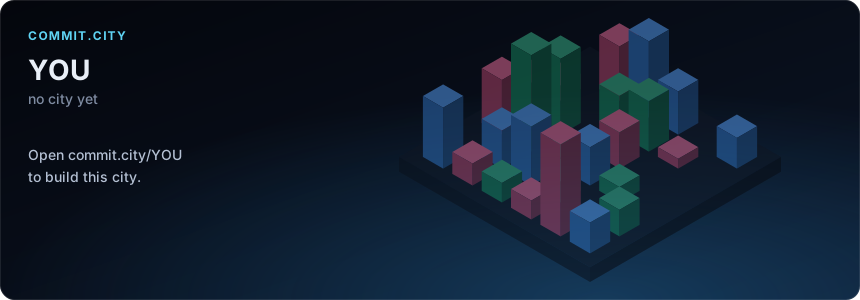
A live card for your README
Your actual skyline, frozen at today. It renders through GitHub's image proxy and links back to the 3D city.
[](https://commit.city/YOU)
A clip of your year
Hit Record in any city for a short video of the whole year playing back, wide for X and LinkedIn or vertical for Reels and Shorts. It renders in your browser.

Link previews that are the city
Paste commit.city/you into Slack, Discord, X or LinkedIn and it unfurls into your skyline and stats.
Embed it anywhere
Drop the live, orbitable city into a portfolio, a blog post or a docs page. Hash parameters pick the moment, speed and camera.
<iframe src="https://commit.city/you#embed=1"
        width="100%" height="480"></iframe>
Run it yourself. Your token never leaves your repo.
commit.city only ever reads public data. For a city with your private work in it, run the same open-source pipeline in GitHub Actions or on your laptop. It writes one self-contained HTML page, and private repos are anonymised by default.
GitHub Action
Click Use this template, turn on Pages and run the workflow. It rebuilds every week and only re-reads repos that moved.
# .github/workflows/commit-city.yml
- uses: azank1/commit-city@v0
  with:
    token: ${{ secrets.COMMIT_CITY_TOKEN || github.token }}
Command line
Python 3.11+ and git, no other dependencies. It picks up your gh login and writes one HTML file you can open offline.
pipx install git+https://github.com/azank1/commit-city
commit-city build --login you --include-private
# → commit-city.html
Questions, answered.
What does it read? Is my code stored?
Public repositories only. Paths and line counts come from replaying git history over GitHub's own git protocol; commit times come from git and GitHub's API. No source code is kept: a city stores paths, line counts and timestamps, the things anyone can already see on GitHub.
How do I hide my city or leave a repo out?
Open your city, press Share, then Sign in with GitHub. Sign-in asks for no permissions. Untick repos to leave them out, or hide your city and your repo cities entirely. More
How does it know what an AI agent wrote?
From the signatures agents leave: their bot accounts (like copilot-swe-agent[bot]), Co-authored-by trailers (Claude Code adds one), message footers and agent branch names. Agent work that isn't disclosed looks human. Details
Why are my numbers lower than my contribution graph?
GitHub's graph also counts pull requests, issues, reviews and private work. A city draws commits that landed on the default branch of a public repo, because those are what changed the code you can see.
Why is the first build slow?
It replays real history from GitHub, and big repos take a minute or two. Repo records are shared between cities, so popular repos are usually cached already, and a rebuild only replays what changed.
Is this affiliated with GitHub?
No. commit.city is an independent, MIT-licensed open-source project. GitHub is a trademark of GitHub, Inc.